
Starting a Pinterest account and want to see quick growth without getting tagged as spam? That’s the secret these days, eh?
Pinterest’s algorithm can be picky, especially when you’re just getting started. I’ve been starting accounts up for my HCU-hit sites over the past few months, so I figured this would be a really relevant topic to write about.
Here’s the exact strategy I use to boost engagement and stay safe (we’ll talk more about that at the end). If you want more tips, I would also recommend this free mini course.
Quick Navigation
1. Start Slow, Grow Slow
Pinterest is really careful about new accounts. During the first 2-3 months (sometimes even longer), you’re in what many call the sandbox. This is probably where Pinterest watches your activity closely to see if you’re a legitimate user or a spammer.
What to do:
- For the first 2-6 weeks, pin 5 pins/day or so. That’s what we do.
- I don’t move it up to 10 pins/day until I see a sizable “bump” in outbound clicks.
- You can also add in some high-quality pins from other accounts in your niche to fill up your boards. If you want.
Think of this as warming up the Pinterest account. You can’t really rush it, don’t try to. Some accounts and niches seem to take longer than others. PS – its the same process for reviving an old Pinterest account that you let go stale.
2. Set Those Boards Up Properly
Pinterest organizes your content based on your boards, so how you set them up is super important. If your boards are all over the place, your pins probably won’t rank well.
What to do:
- Create 10-15 niche-specific boards before posting your first pin. These boards should align with your main topics.
- Use keyword-rich board names to help with searchability. For example, instead of naming a board “My Favorite Recipes,” use something like “Healthy Chicken Recipes” or “Quick Dinner Ideas.”
There’s more to it than that, but thats a good high level approach.
3. Get Your Keyword Research Right
Before we create any pins, we always start by researching keywords that actually matter for Pinterest. Hint… they are often very different from standard SEO keywords.
The key is to understand what people are actually searching for on Pinterest and which keywords are driving traffic to top-performing pins. By targeting the right keywords, you increase the chances of your content getting seen by more people.
We use PinClicks for this, following this process:
- Enter your main keyword into PinClicks. Let’s say you’re focusing on “easy DIY gardening tips.” Using the Keyword Research Tool, input that keyword (along with variations of it) into the search bar.
- Sort by Popularity to find the top pins that align with your keyword. This saves you hours of guesswork, helping you see what’s already resonating with your audience.
- Click “See Top Pins.” This feature allows you to analyze the top pins for your selected keyword, especially when you sort by Pin Score. You can click on each pin to analyze it, and each of these pins comes with annotated interests at the bottom—these are Pinterest’s official interests that boost relevancy and search visibility.
- Extract Keywords. Jot down 5 keywords that are frequently used in the highest-performing pins. These will become the backbone of your own pin descriptions and titles.
This is also how found a treasure trove of seasonal keywords, which consistently leads to traffic bumps on popular holidays.
PinClicks now has the first-ever Pinterest rank tracking tool (Pro Plan), where you can track 25 keyword rankings, which makes my SEO brain oh so happy.
4. Pin Content that is Actually Valued
Not all pins are created equal. Some types get tons of saves, clicks, and engagement, while others fall flat. Here’s what we’ve found works best:
Listicles (Roundup Posts)
These are perfect for driving traffic and engagement. Think of a post like “10 Easy Pasta Recipes” or “5 Must-Have Gardening Tools.”
- For each list item, create a separate pin. I recommend using a mix of single-image pins and collage pins to keep it interesting. More on that next.
- If you’re making a list of 10 recipes, create 10 pins for that list. This will help get your content in front of different audiences.
Single-Idea Posts
These work well for recipes, how-to guides, or tutorials. An example: “Alfredo Chicken Recipe.”
- Pin these articles across different boards.
- Text-overlay pins (pins with text on the image) work wonders for these, as they immediately communicate value to the viewer.
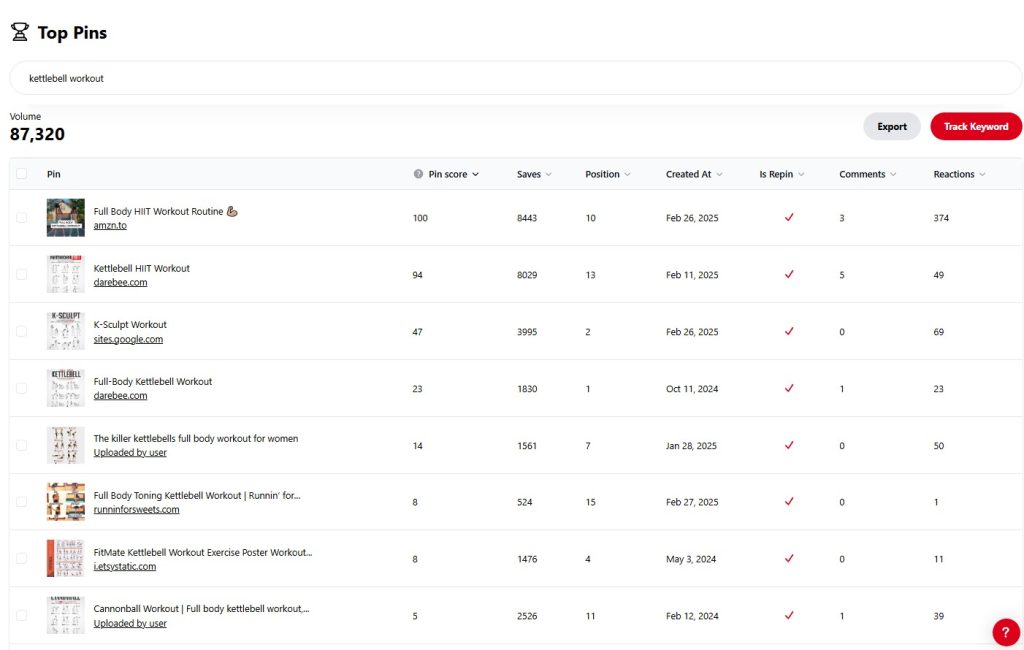
Tip: Use PinClicks Top Pins feature to see which pin styles and topics are resonating with your audience. This tool helps you avoid wasting time on content that won’t work. I’ll share more about how to do this below.
5. Create the Right Pin Designs
Now that you’ve got the content strategy down, it’s time to talk design. The way your pins look plays a huge role in engagement. Pinterest is a visual platform first and foremost, and if your pins don’t grab attention, your content will go unnoticed, no matter how great it is.
Here are the three types of pin designs I use, based on tons of testing:
Text Overlay Pins (TOBI)
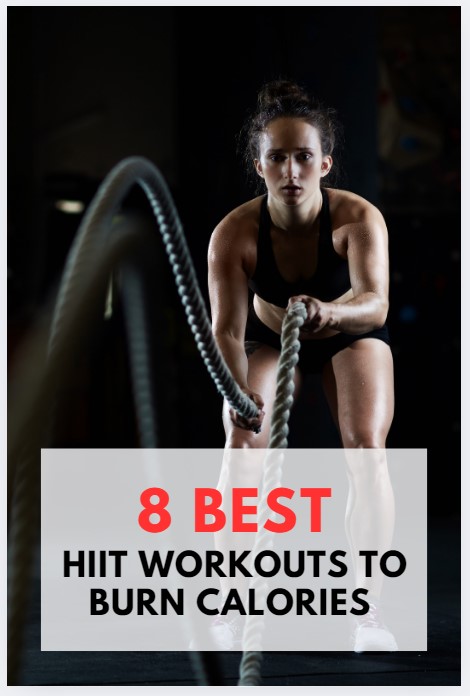
Text Overlay Pins are great because they clearly communicate what your pin is about, which is perfect for how-to content, tutorials, or list-style posts. Adding a bold and compelling text overlay on an eye-catching image can boost engagement and make it easier for users to understand what they’ll gain by clicking.
For example, if you’re in the fitness niche:
- “5 Quick Home Workouts for Busy People”
- “How to Stay Fit with Just 10 Minutes a Day”
- “10 Minute Yoga Routine for Beginners”
These titles immediately tell the audience the benefit of the pin while sparking curiosity. Plus, they create a sense of urgency or ease, which is key to attracting more saves.
Pure Image Pins
Pure Image Pins let the image speak for itself. These are particularly useful if you have stunning, high-quality visuals that need no explanation. Simple, beautiful, and attention-grabbing images work best here—especially in niches like travel, interior design, or food.
For instance, in the interior design niche:
- An image of a beautifully styled living room with natural lighting and neutral tones.
- A photo of a cozy, well-organized desk corner with plants and a stylish lamp.
The key here is that the image itself conveys the value, so there’s no need for text overlay. It’s all about visual appeal. People will pin these for future inspiration.

Collage Pins
Collage Pins are versatile and great for showcasing multiple ideas or options in one image. They work especially well for round-up posts, product lists, or any content that highlights a variety of things. They allow you to fit more into one pin, which increases the likelihood of the user saving or clicking.
For a fashion blog, you could create a collage pin for:
- “10 Summer Outfits You Need This Season”: A collage featuring different outfits: sundresses, shorts, tops, and accessories.
- “Best Wardrobe Staples for Every Woman”: A mix of classic pieces like trench coats, white shirts, and dark jeans.
In the food niche, a collage could look like:
- “15 Quick Vegan Snacks You Can Make in 5 Minutes”: A variety of dishes like smoothie bowls, veggie wraps, and chia seed pudding—all neatly arranged in one collage.
Collage Pins are ideal for capturing attention because they showcase variety and give the viewer an overview of what they can expect when they click.

6. Scale Up Gradually (Don’t Go Overboard Too Soon)
Once you’ve been pinning for about 2-6 weeks, you can start increasing your pinning frequency, but don’t go overboard.
There has been an increase of account closures by Pinterest of late. This can be for a variety of reasons, including scaling too fast, focusing too much on keywords only, and having low engagement rates.
Ultimately, this is an iterative process. You have to scale slowly, paying attention to what is getting engagement. Do more of that.
Scale up a little more. Pay attention to what is getting engagement. Do more of that. Rinse and repeat. Avoid a shadowban or closure.
Stay Consistent and Scale Smartly
Growing on Pinterest is all about strategy and consistency, not spamming the platform. Start slow to avoid spam filters and build momentum. Pin the right content—listicles, single-idea posts—and create engaging pin designs.
Set up well-organized, keyword-optimized boards to rank better and always focus on quality and engagement over volume. Track your performance, adjust your strategy, and scale carefully.
With the right approach, Pinterest can drive serious traffic. I have lots of helpful guides on my blog to get you started, and my agency will begin offering services for Pinterest soon.