
If you’re in the Amazon Influencer Program and using Creator Connections, there’s a high chance you’re leaving money on the table.
Every week, brands launch new Creator Connections campaigns tied to products you’ve already created videos for. If you don’t see those campaigns, or don’t have time to manually match them, your existing content never gets credit.
In this guide, I’ll break down exactly how I use Viral Vue to:
- Turn the same videos into significantly more earnings
- Scan my entire storefront
- Automatically match past videos to active Creator Connections campaigns
- Bulk-accept campaigns and submit my content
You can also use Viral Vue to reach out to brands about getting free product for your videos, but today we’re covering the way they help you maximize CC earnings from your existing Shoppable Videos.
Quick Navigation
- What Is Amazon Creator Connections (and Why It Matters)
- The Old Way: Manual Campaign Hunting
- How to Use Viral Vue to Find & Accept Campaigns
- Results: How This Increased Our CC Earnings by 500%+
- Best Practices to Maximize Your Creator Connections Earnings
- Get Started: Turn Your Existing Videos into Found Money
What Is Amazon Creator Connections (and Why It Matters)
Creator Connections is Amazon’s marketplace that connects brands with creators in the Amazon Associates and Influencer programs. Its a newer part of the Amazon Influencer Program and wasn’t prominent when I first joined AIP in 2023.
Brands set up campaigns and offer bonus commissions on qualifying sales when creators join and promote those products.
For Amazon Influencers, that means:
- Higher commission rates than standard storefront videos on select products
- More predictable, campaign-based payouts
- Opportunities to deepen relationships with brands
The problem isn’t the opportunity, it’s discoverability and scale. Manually finding campaigns that match your existing content does not scale once you’ve published more than a handful of videos.
The Old Way: Manual Campaign Hunting
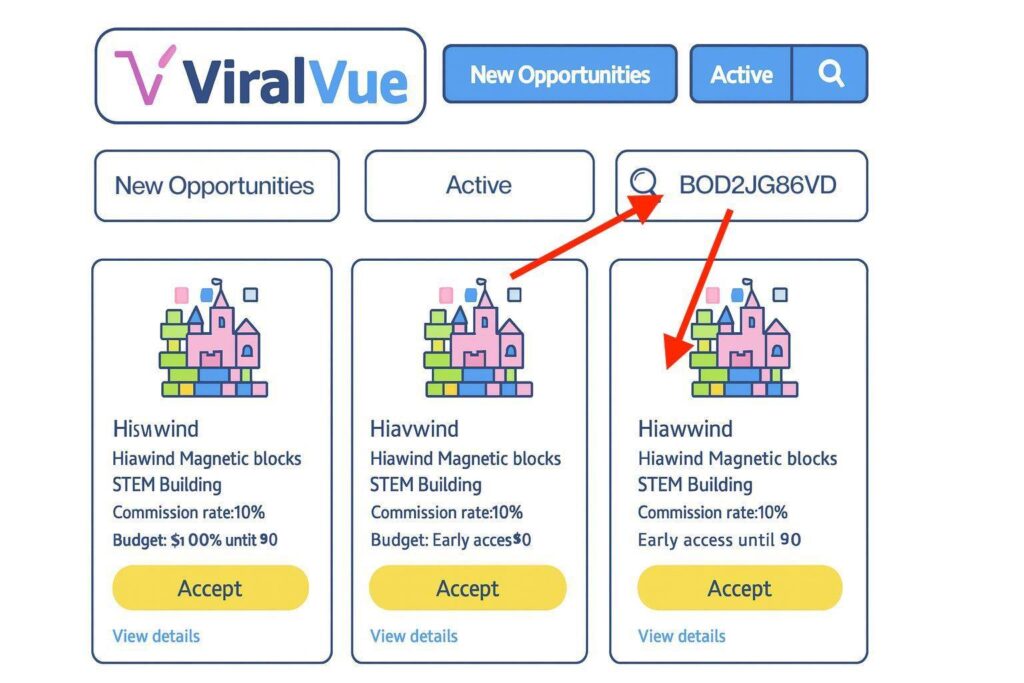
Before using Viral Vue, checking for campaign opportunities looked like this:
- Open Creator Connections.
- Search for a product by name, ASIN, or brand.
- Wait for results.
- Manually check which campaigns match the exact product.
- Accept relevant campaigns.
- Repeat for every product you’ve ever filmed.
If you only have 20 videos, that’s annoying.
If you have hundreds or thousands of product videos:
- You burn hours scanning and still miss campaigns.
- You rarely re-check, so you miss new campaigns launched later.
- There is no simple way to keep your entire back catalog synced with current opportunities.
Net result: you only earn on a slice of what you’ve already built.
Now let’s talk about how to do this automatically with Viral Vue.
How to Use Viral Vue to Find & Accept Campaigns
Viral Vue is a tool built for Amazon Influencers and affiliates that adds automation and data on top of your existing workflow.
One of its most valuable features for Creator Connections: It can scan your storefront, detect products you’ve created videos for, match them to active Creator Connections campaigns, and bulk-accept those campaigns for you.
Instead of you hunting for campaigns one product at a time, Viral Vue:
- Reads your existing content + ASINs
- Checks them against active campaigns
- Surfaces everything you’re eligible for
- Helps you submit your existing videos into those campaigns in a few clicks
This is where the “hidden money” shows up.
1. Open Creator Connections with Viral Vue Enabled
- Log into your Amazon Influencer account.
- Make sure the Viral Vue Chrome extension is installed and connected to your account.
- Go to the Creator Connections section.
You’ll see the Viral Vue controls integrated into the interface.
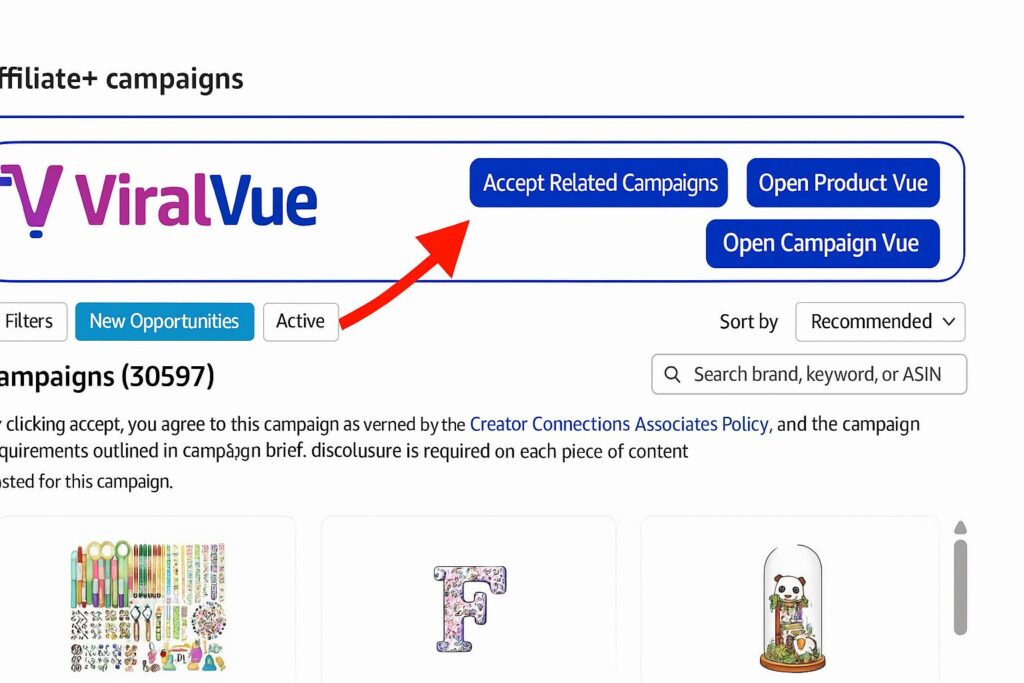
2. Click “Accept Related Campaigns”
Look for the Viral Vue panel/button labeled “Accept Related Campaigns”. This opens the auto-matching tool that:
- Maps your existing videos and ASINs
- Checks whether there are active campaigns for those products
3. Enable the Smart Matching Option
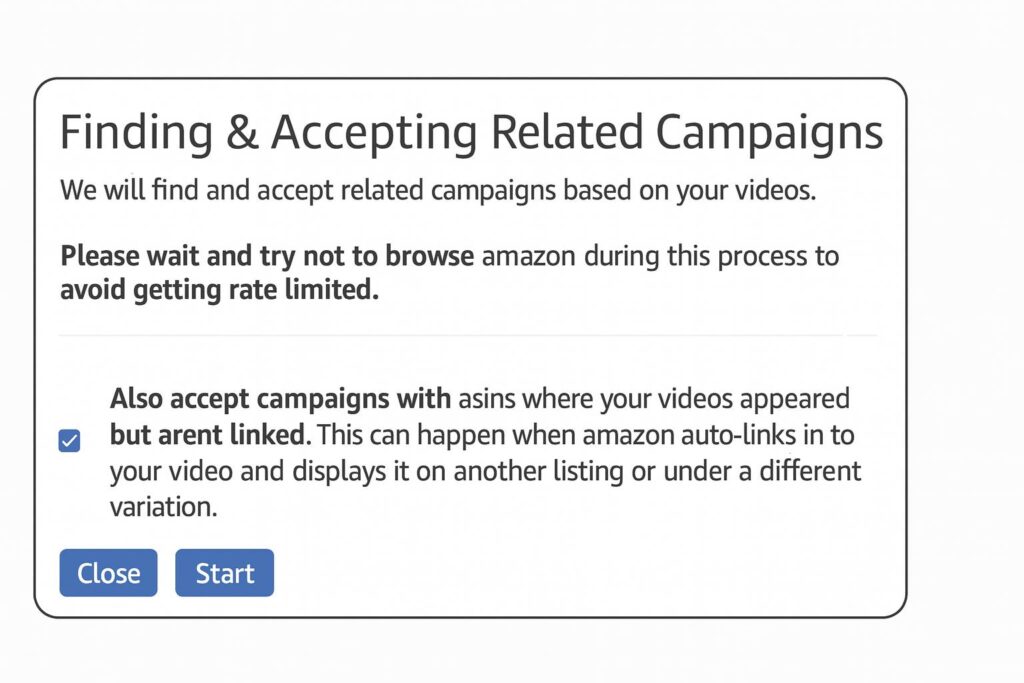
Check the box: “Also accept campaigns with ASINs where your videos appeared but aren’t linked.”
Why this matters:
- Some videos appear on product pages without being correctly linked in your backend.
- This option lets Viral Vue catch campaigns tied to placements you’d never manually find.
If you skip this, you risk missing a big chunk of easy wins.
4. Click “Start” and Let Viral Vue Scan
When you hit Start, Viral Vue:
- Scans your videos across your storefront
- Compares associated ASINs against available campaigns
- Auto-accepts relevant campaigns according to your settings
In one run, we saw:
- 24 additional campaigns found in under 8 minutes
- On top of hundreds surfaced across previous scans
All from videos that were already live—no new filming.
5. Click “Submit All Content”
Once the scan finishes:
- Click “Submit All Content” so your existing videos are attached to the campaigns you’ve just accepted.
Key detail:
- Amazon doesn’t strictly require you to submit videos when you accept a campaign.
- But when your content is in the campaign:
- Brands can easily review your work
- Tracking and attribution is cleaner
- You look like a serious, organized partner
Viral Vue automates this last mile so you don’t rely on memory or manual uploads.
Results: How This Increased Our CC Earnings by 500%+
Here’s what happened after implementing this workflow:
- July Creator Connections earnings: ~$100
- August Creator Connections earnings: ~$700
That’s a jump of over 500%, primarily from:
- Systematically matching existing videos to new and existing campaigns
- Running recurring scans instead of one-off manual checks
Nothing about this guarantees identical results for every creator. Your outcome depends on:
- Size and age of your catalog
- Niches and product categories
- Volume and quality of active campaigns at any given time
But the mechanism is repeatable:
More accurate campaign matching + higher coverage of your existing videos = more opportunities to earn.
👉 Try Viral Vue and get 10% off using code WELCOME10 (this is an affiliate link)
Best Practices to Maximize Your Creator Connections Earnings
To turn this into a durable system (and keep Google happy when they send searchers to this guide), stick to a few best practices:
- Run scans consistently
- Aim for daily.
- Campaigns update frequently; recurring scans keep your catalog aligned.
- Stay compliant
- Follow Amazon’s Creator Connections guidelines and campaign term.
- Avoid sharing restricted backend screenshots publicly—use UI-safe illustrations instead.
- Align campaigns with your audience
- Don’t join everything:
- Prioritize products you genuinely recommend.
- Long-term, this keeps conversion rates + trust higher.
- Don’t join everything:
Is Viral Vue allowed with the Amazon Influencer Program?
Viral Vue operates as a browser-based tool that works on top of your own Creator Connections and storefront data. It doesn’t change Amazon’s systems; it automates how you discover and manage opportunities.
You’re still responsible for following Amazon’s policies, respecting campaign rules, and avoiding anything that violates terms of service.
Always review the latest Amazon and Viral Vue documentation to confirm nothing has changed.
Do I need Viral Vue to use Creator Connections?
No. You can manually search for campaigns, manually accept them, and manually attach videos. But once your catalog gets large, manual methods stop being practical. Tools like Viral Vue make scale possible.
Will this work if I only have a few videos?
Yes, but the largest upside is for creators with dozens to thousands of videos and in niches where brands are active in Creator Connections. If you’re early, setting this up now means you won’t leak opportunities later.
Does this replace normal affiliate earnings?
No. Creator Connections campaigns stack on top of your existing earnings (subject to campaign terms), often via bonus commissions or higher rates on specific products.
Get Started: Turn Your Existing Videos into Found Money
Take the next steps to capturing all of your lost CC income!
- Install and connect Viral Vue.
- Run your first “Accept Related Campaigns” scan.
- Enable the “also accept campaigns where your videos appeared but aren’t linked” option.
- Click “Submit All Content”.
- Add this as a recurring part of your workflow.
👉 Try Viral Vue and get 10% off using code WELCOME10 (this is an affiliate link).